Overview
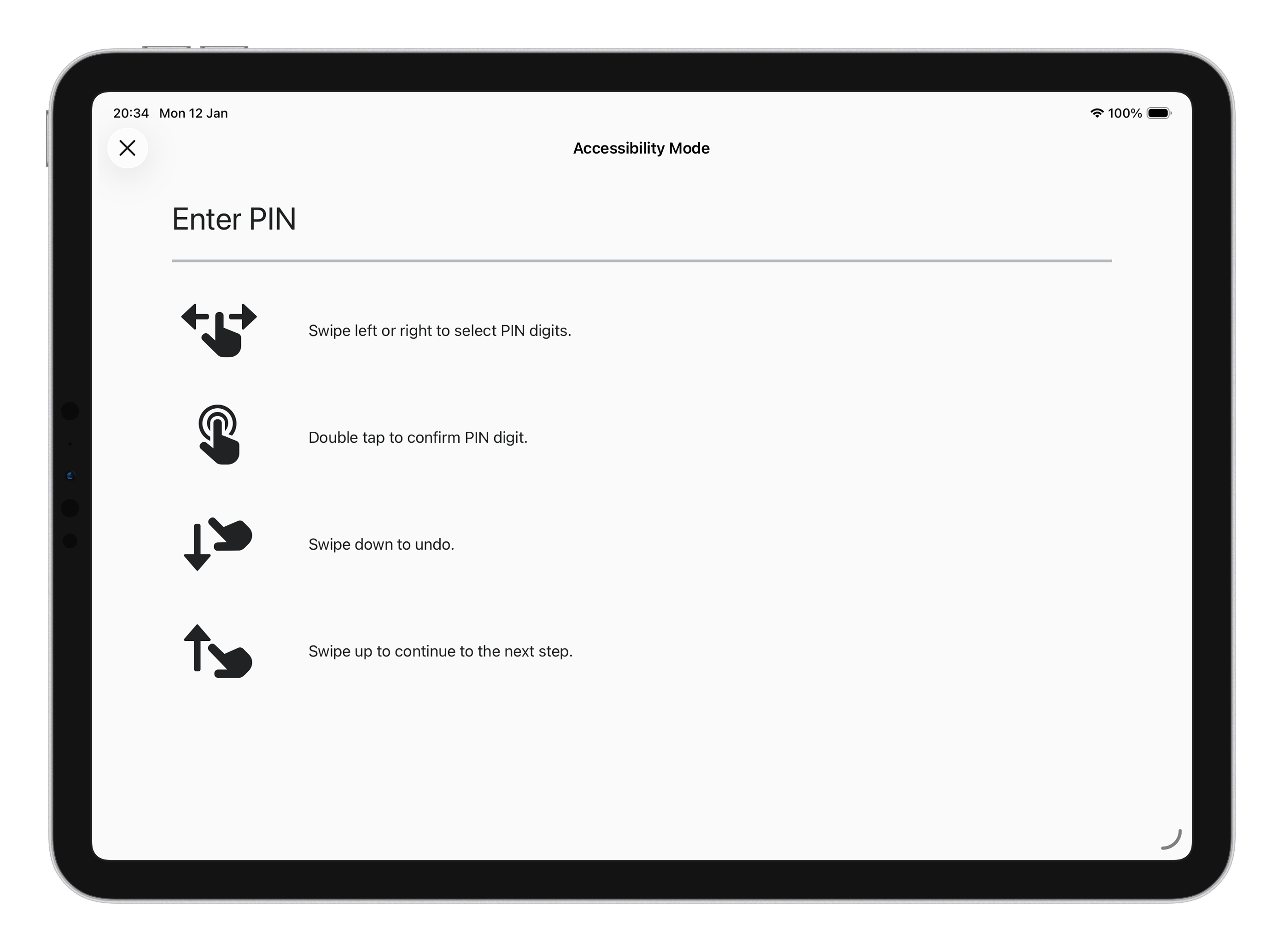
A swipe-based PIN entry system that allows visually impaired users to complete payments on touchscreen POS terminals. Built at Shopify in collaboration with the Canadian National Institute for the Blind (CNIB) .
The problem
Many new-wave commercial off-the-shelf (COTS) POS systems, which are all touchscreens with integrated card readers or Bluetooth/wifi-integrated card readers, work very similarly. These systems often take debit, credit, or pre-paid cards for payment and frequently require customers to enter a specific pre-designated code or personal identification number (PIN) to authorise the transaction. This makes it incredibly difficult for visually impaired individuals to use these systems.
In the past, many of these systems had a headphone jack and a physical keyboard, with a nub on one of the keys to help users locate the key they wanted to press. However, with the shift to touchscreens, this feature was lost.
What we built
From all the card readers that Shopify POS supported, only one of them had physical buttons, meaning we had to come up with a novel way for users to make their payment.
Existing solutions, like Apple's VoiceOver, communicate with the user through voice and allow them to communicate back by using different gestures, like swiping, pinching and tapping. Since this would be used to handle sensitive information, we couldn't rely on VoiceOver, but we could take its premise and build a similar solution.
By allowing the user to tap and swipe a screen, either the POS itself or a customer view, we could build a solution that would communicate with them verbally and allow them to navigate the whole payment process, from selecting the account and tip amount to entering their PIN, always providing the verbal feedback of the actions they were taking.
From our research, we also found that many of these users carry their own wired headphones with them, to help them navigate the systems around them. Up until then, all the iPads that supported POS had a headphone jack, so we knew that users would be able to use their own headphones to navigate the system. This was crucial given that the solution relies on the system speaking back the information inputted by the user, which means at some point it would spell out the PIN, meaning it would be a security risk.
Ultimately, this solution was awarded a patent .
My role
I was the developer responsible for building the feature and the user-testing app for the trial version we ran with CNIB. For the user-testing app, the team had multiple meetings between design, product, engineering and CNIB to understand the scope and the best way to implement the feature, particularly during the pandemic when we were all working remotely.
The stack
This feature was built in the context of the Point of Sale app, which was written in Swift and as a native iOS app. It takes advantage of Apple's UISwipeGestureRecognizer and UITapGestureRecognizer to detect the swipe and tap gestures, respectively, and an AVSpeechSynthesizer to read the information to the user.